Contributing Guide
Thank you for your interest in contributing to the QuoinAPI project! This guide will help you set up your development environment and understand the project structure.
🛠️ Prerequisites
Ensure you have the following tools installed:
- Git - Version control
- Python 3.14+
- uv - Python package manager
- just - Command runner
- OrbStack (recommended) or Docker Desktop
⚡️ Development Setup
# 1. Clone the Repository
git clone https://github.com/balakmran/quoin-api.git
cd quoin-api

# 2. Configure Environment
cp .env.example .env

# 3. Setup Project
just setup

# 4. Start DB, apply migrations, and run the server
just dev
📸 Application Home Page
After running the server, you can visit http://localhost:8000 to see the application's home page:
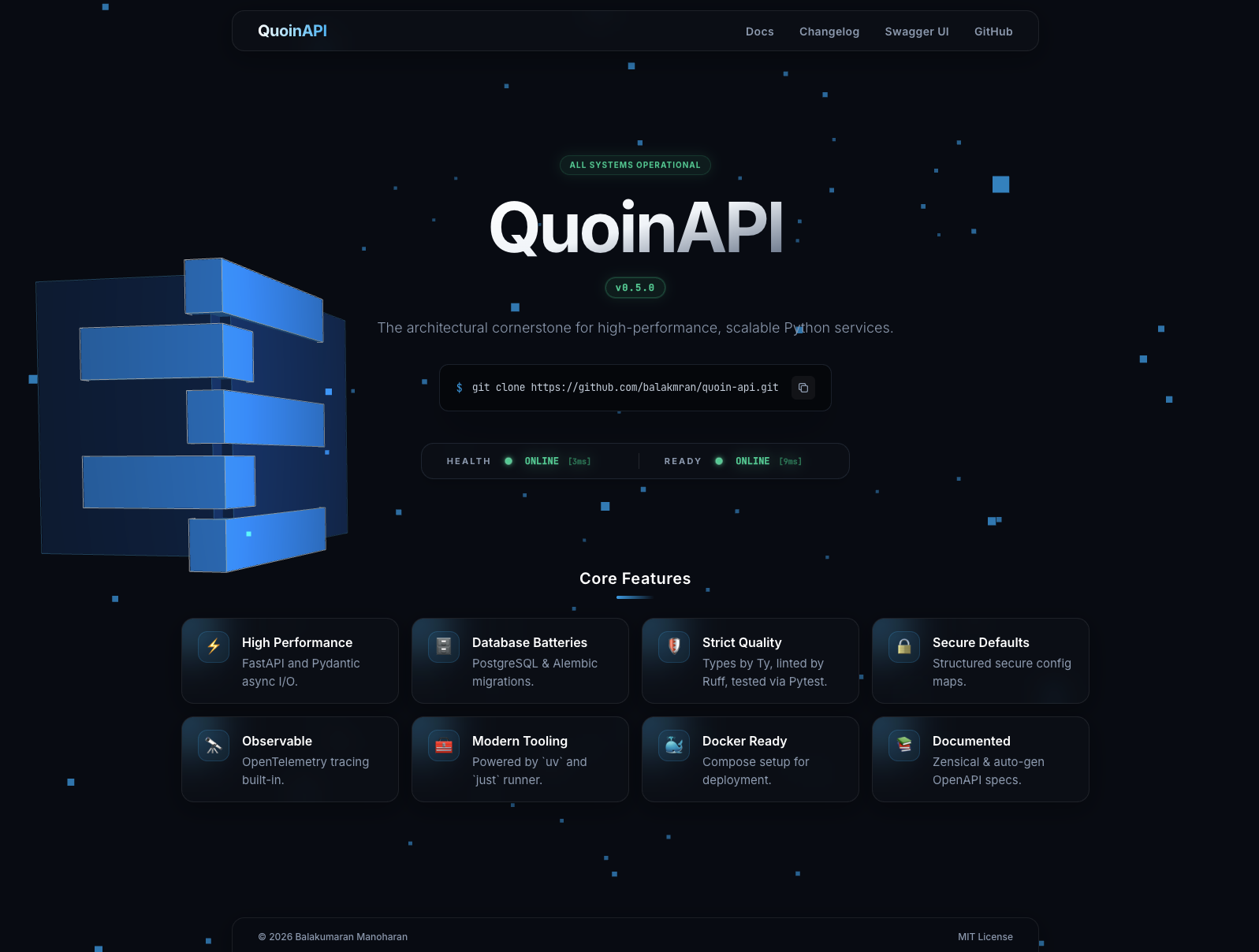
This confirms the application is running correctly. The page includes:
- Project Status: Real-time health indicators for the application and its dependencies.
- Quick Links: Direct access to API documentation and other resources.
🤝 Contribution Workflow
Fixing Bugs
- Check Issues: Look for existing issues to avoid duplicates.
- Create Issue: If not found, create a new issue describing the bug with reproduction steps.
- Create Branch:
git checkout -b fix/issue-number-short-description - Reproduce: Write a test case in
tests/that reproduces the bug (it should fail). - Fix: Implement the fix until the test passes.
- Verify: Run
just checkto ensure no regressions. - Submit PR: Open a Pull Request referencing the issue.
Adding Features
- Propose: Open a discussion or issue to propose the feature.
- Create Branch:
git checkout -b feat/short-description - Document: Update
docs/if the feature involves user-facing changes. - Implement: Write tests and code. Follow TDD where possible.
- Verify: Run
just check. - Submit PR: Open a Pull Request.
Coding Standards
We enforce strict coding standards to maintain a high-quality codebase.
- AI Agents: Please refer to CLAUDE.md
for architectural and stylistic rules (also symlinked as
AGENTS.md). - Style: We use Ruff for formatting and linting.
- Types: 100% type coverage is required.
- Commits: Follow Conventional Commits.
📜 Development Commands
We use just to manage project commands. Run just --list to see all available
commands.
| Command | Description |
|---|---|
just setup |
Setup project (install dependencies and pre-commit hooks) |
just install |
Install project dependencies using uv |
just dev |
Start DB, apply migrations, and run the dev server |
just reset-db |
Reset the database cleanly |
just up |
Start all Docker containers (App + DB) |
just down |
Stop and remove all Docker containers |
just logs |
Tail live logs from the API container |
just check |
Run all quality checks (format, lint, typecheck, test) |
just clean |
Remove build artifacts and cache directories |
just pi |
Install pre-commit hooks (prek install) |
just pr |
Run pre-commit hooks on all files (prek run) |
just docb |
Build documentation (docs-build) |
just ds |
Serve documentation locally (docs-serve) |
just migrate-gen "msg" |
Generate a new Alembic migration with a message |
just migrate-up |
Apply all pending migrations |
just migrate-down |
Rollback the last migration |
just bump part |
Bump version (part: patch, minor, major) |
just tag |
Create and push git tag for current version |
📁 Project Structure
.
├── alembic/            # Database migrations
├── app/
│   ├── core/           # Core configuration (config, logging)
│   ├── db/             # Database session and base models
│   ├── modules/        # Feature modules (e.g., user)
│   └── main.py         # Application entry point
├── docs/               # Project documentation (MkDocs)
├── tests/              # Test suite
├── docker-compose.yml  # Docker services configuration
├── Dockerfile          # Application container definition
├── justfile            # Command runner configuration
├── pyproject.toml      # Project dependencies and tool config
└── README.md           # Project documentation
🧪 Quality Assurance
This project maintains high code quality standards using:
- Ruff: For extremely fast linting and formatting.
- ty: For static type checking.
- Pytest: For testing.
Run all checks with a single command: